Blog

Your blog category

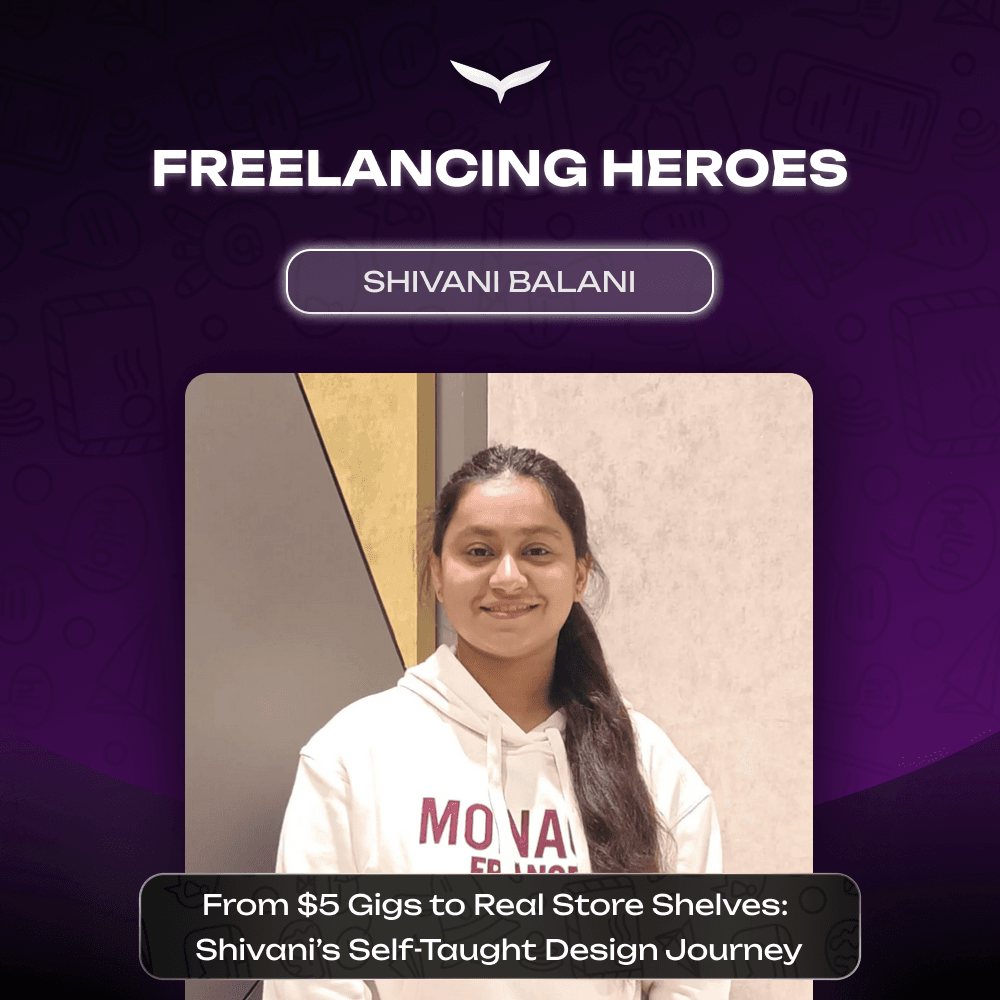
$5 Gigs, One Ban, and a Comeback: Shivani Balani’s Freelance Design Story

Lockdown. Boredom. Curiosity. That’s how this started. In 2021, while doing her MCA, Shivani opened YouTube and taught herself graphic design through tutorials and trial-and-error. She set up a profile on Fiverr. Started at $5. Said yes to everything. Logos. Posts. Random requests. Late nights. She also cold-DM’d Instagram pages. One replied. First real client. First real confidence boost. Work stacked up. Skills got sharper. $5 gigs slowly turned into $500 projects. At some point, she stopped calling it “side income.” This was the career. Then, gone. Her Fiverr account got banned because of a technical issue. Main income, wiped out overnight. For months, barely any work. A lot of second-guessing. But instead of quitting, she doubled down. Learning. Reaching out. Staying visible. Through a connection, she landed an FMCG client. The first time she saw her design printed and sitting on a store shelf, that hit different. That’s when it felt real. Self-taught. No fancy degree in design. Just consistency. From $5 gigs to store shelves. Start small. Stay consistent. Keep knocking. “What stood out to me about Qwego Freelancing is how everything is in one place, from showcasing your portfolio and intro video to managing projects and payments. I also like the focus on quality over quantity, with structured projects and tools that help freelancers and clients work more clearly and professionally. It feels built for long-term growth, not just quick gigs.” This was Shivani’s journey, stay tuned for more. #qwego #FreelancingHeroes #FreelanceLife #GraphicDesigner #CreativeJourney #WomenInDesign

$5 Gigs, One Ban, and a Comeback: Shivani Balani’s Freelance Design Story Read More »

Prime Challenges: PropTech Full-Stack Challenge

📌 Problem Statement Property managers handle dozens of maintenance issues daily across multiple buildings and teams. Most workflows today are scattered across calls, WhatsApp, spreadsheets, and emails. Your task is to build a mobile-First mini property maintenance management system that streamlines this process. Create a simple but production-quality web app that allows: Tenants to report issues Managers to assign and track work Technicians to resolve tasks efficiently We’re testing clarity of thinking, system design, and execution quality.  👥 Roles Your system must support: Tenant Property Manager Technician Each role should have different permissions. ⚙️ Core Features Required ✅ Authentication + role-based access ✅ Tenants submit maintenance requests • title • description • images (file upload) ✅ Managers: • view all tickets • assign technicians • change priority/status ✅ Technicians: • view assigned tasks • update progress ✅ Status flow: Open → Assigned → In Progress → Done ✅ Activity log per ticket (e.g., created, assigned, status changes) ✅ Basic notifications (email or in-app) 🎯 What We’re Evaluating We care more about how you build, not just what you build. 🔥 Backend architecture 🔥 Database design 🔥 Auth + role management 🔥 File uploads 🔥 Workflow logic 🔥 Clean UI/UX 🔥 Code quality & structure 🔥 Deployment & documentation Bonus points: Tests | Docker | Thoughtful UX | Realistic edge cases handled 🧠 Constraints Time expectation: 2–4 days max Use mock/demo data No paid APIs Keep scope focused Don’t over-engineer 🏆 Prize 🥇 Winner: $1,500 USD Plus: 🤝 Long-Term Contract Opportunity The winner may be offered: 3–6 month engagement 20–40 hrs/week (flexible) Real proptech product development Paid hourly or milestone-based Opportunity to work directly with product & engineering leadership This challenge is designed to identify long-term collaborators, not just one-off freelancers. ⚠️ How to Participate Submit via Qwego: Step 1: Sign up on Qwego Carefully review the full project brief and requirements. Step 2: Build & Submit a Demo Ideal Proposal: Create a project-specific demo/sample based on the brief. Then submit your bid with links only, including: 🔗 Demo link (live URL, GitHub, Loom, Drive, etc. | must be public) ✍️ 2–4 line explanation of what you built 📈 Long-term collaboration proposal (availability + engagement model) 🚫 No generic portfolios ✅ We evaluate working demos only Your work + thinking matter more than promises. 📅 Deadline Last date for submission: 15th March ❓ FAQs 1. Is KYC mandatory? Yes. All freelancers must complete KYC verification on Qwego before applying to any project. 2. How should I share my submission? Host your demo on: Live site | GitHub | Figma | Framer | Google Drive | Loom 📎 Share a publicly accessible link in the bid description. 3. Why is the bid asking for budget? [IMP] The $1,500 prize amount is fixed and will be awarded to the selected winner. The budget field in your bid is not related to the contest prize. It is used solely to evaluate your proposed terms for a potential long-term collaboration. Please use the budget field to:A. Enter your monthly retainer fee as the project fee, orB. If you work on an hourly basis, provide a reasonable monthly estimate based on your expected availability 4. Can I use any tech stack? Yes. Use any stack you’re comfortable with (React, Next, Node, Django, Rails, etc.). We value clean architecture over specific technologies. 5. Do I need pixel-perfect UI? No. Clean, usable, and thoughtful beats fancy visuals. 6. Will my solution be used in production? Winning entry may evolve into real internal tools or MVPs. 7. Can I submit via Email? We recommend signing up and completing KYC to participate, but you may also submit your entry by emailing challenges@qwego.com. If your entry is awarded, KYC verification will be required at that stage. Support For any queries or assistance, Feel free to reach out at support@qwego.com.


Prime Challenges: PropTech Full-Stack Challenge Read More »

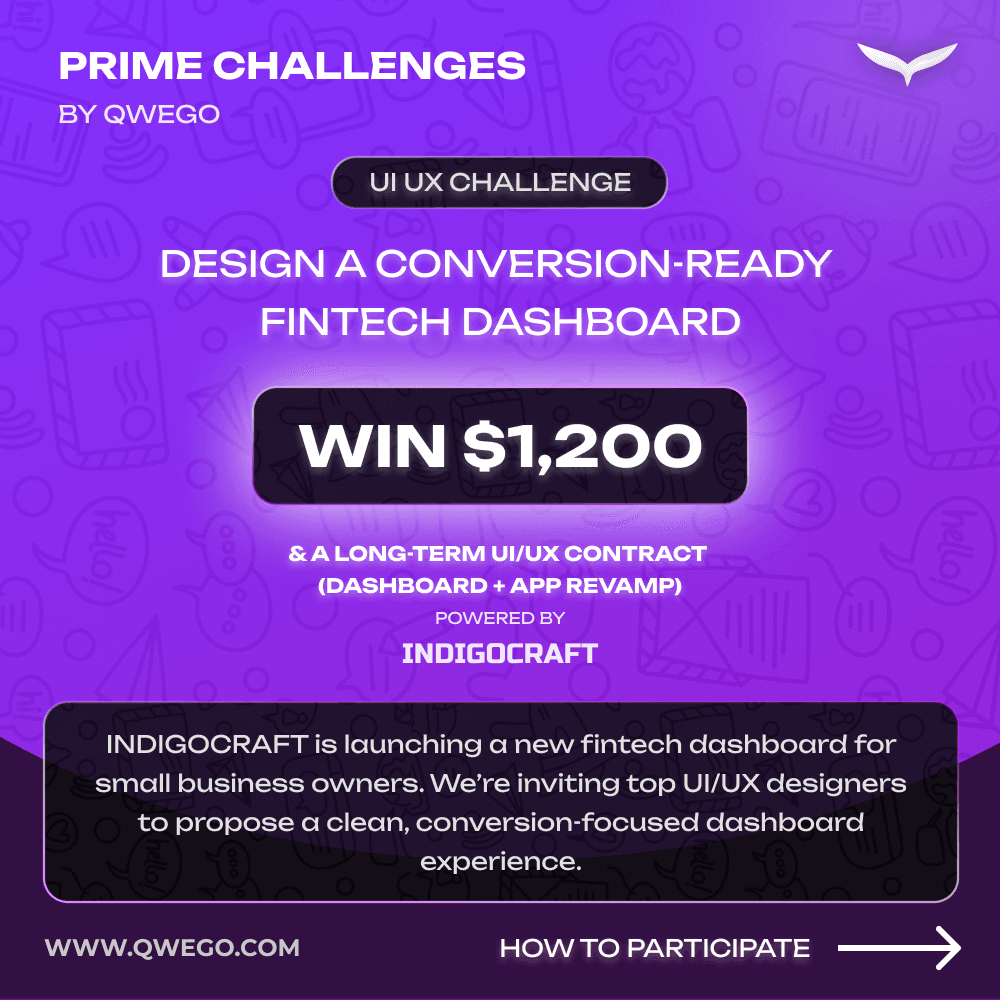
Prime Challenges: UI UX Designers, Prove you’re the best & get a chance to win $1200

𝗨𝗜 / 𝗨𝗫 𝗗𝗲𝘀𝗶𝗴𝗻𝗲𝗿𝘀: 𝗡𝗲𝘄 𝗖𝗼𝗻𝘁𝗲𝘀𝘁 𝗔𝗹𝗲𝗿𝘁! We’re excited to announce 𝗣𝗿𝗶𝗺𝗲 𝗖𝗵𝗮𝗹𝗹𝗲𝗻𝗴𝗲𝘀 – UI/UX Edition, powered by INDIGOCRAFT. 💰 𝗣𝗿𝗶𝘇𝗲: $𝟭,𝟮𝟬𝟬 𝗨𝗦𝗗 🤝 𝗕𝗼𝗻𝘂𝘀: 𝗢𝗽𝗽𝗼𝗿𝘁𝘂𝗻𝗶𝘁𝘆 𝗳𝗼𝗿 𝗮 𝗹𝗼𝗻𝗴-𝘁𝗲𝗿𝗺 𝗨𝗜/𝗨𝗫 𝗰𝗼𝗻𝘁𝗿𝗮𝗰𝘁 (𝗗𝗮𝘀𝗵𝗯𝗼𝗮𝗿𝗱 + 𝗔𝗽𝗽 𝗿𝗲𝘃𝗮𝗺𝗽) 🧠 𝗧𝗵𝗲 𝗖𝗵𝗮𝗹𝗹𝗲𝗻𝗴𝗲 Design a conversion-ready fintech dashboard for small business owners. 𝗪𝗵𝗮𝘁 𝘁𝗼 𝗱𝗲𝘀𝗶𝗴𝗻: • Dashboard Home Screen (Desktop) • Balance, Cash Flow, Upcoming Payments, strong visual hierarchy • 1 Optional Secondary Screen (Transactions / Analytics / Settings) Short rationale (150–200 words) explaining your UX decisions 👉 Wireframes or high-fidelity designs accepted (Figma preferred) ⚠️ 𝗛𝗼𝘄 𝘁𝗼 𝗣𝗮𝗿𝘁𝗶𝗰𝗶𝗽𝗮𝘁𝗲 OPTION 1: Submit your proposal at challenges@qwego.com OPTION 2:𝘚𝘵𝘦𝘱 1: 𝘚𝘪𝘨𝘯 𝘶𝘱 𝘰𝘯 𝘘𝘸𝘦𝘨𝘰 Carefully review the full project brief and requirements before starting. 𝘚𝘵𝘦𝘱 2: 𝘉𝘶𝘪𝘭𝘥 & 𝘚𝘶𝘣𝘮𝘪𝘵 𝘢 𝘋𝘦𝘮𝘰 Ideal Proposal: Create a project-specific demo/sample based on the brief. Then submit your bid with links only, including: • 🔗 Demo link (Figma, Framer, Drive, Loom, etc. | must be public) • ✍️ 2–4 line explanation of what you built • 📈 Long-term collaboration proposal (availability + engagement model) This is a skill-first, contest-based project. No generic portfolios. Your work + thinking matter more than promises. 🏆 Winner gets $1,200 + potential long-term engagement with FinEdge. 👀 Ready to compete? FAQS: 1. What is the last date?7th Feb. 25 days left to come up with your best work! You get only one chance to apply, make sure its your best one 2. Is KYC mandatory?Yes. All freelancers must complete KYC verification on Qwego before applying to any project. 3. How to share submission?Your submission should be hosted on Figma or uploaded to a cloud platform like Google Drive.📎Share a publicly accessible link in the bid description while applying. 4. Why is the bid asking for budget?💸The $1,200 prize amount is fixed and will be awarded to the selected winner of the contest. The budget field in your bid is not related to the contest prize. It is used solely to evaluate your proposed terms for a potential long-term collaboration. Please use the budget field to:A. Enter your monthly retainer fee as the project fee, orB. If you work on an hourly basis, provide a reasonable monthly estimate based on your expected availability👉 Clearly outline your engagement model, availability, and pricing details in the proposal message. 🚀 Designers, this is your chance to showcase your skill and land a long-term collaboration with IndigoCraft! Make your submission count and let your work speak. #PrimeChallenges #UIDesign #UXDesign #DesignContest #Fintech #ProductDesign #Qwego #Figma #FreelanceDesign

Prime Challenges: UI UX Designers, Prove you’re the best & get a chance to win $1200 Read More »

The Future of Work Is Freelancing – Here’s Why You Need to Start Today

Why Now is the Perfect Time to Start Freelancing

The freelance revolution is transforming the global job landscape, with over 73 million freelancers currently thriving worldwide. Freelancing has evolved beyond a side hustle, it’s now a lucrative, sustainable career choice. 📊 Why Freelancing is Booming 🎯 Top Freelance Skills in Demand 🌟 Industries Leveraging Freelancers the Most Businesses in technology (30%), media (25%), finance, healthcare, and education increasingly rely on freelance talent to enhance productivity and reduce costs. ✅ Why Choose Freelancing Now? 📌 Why Businesses, Startups, and Individuals Should Embrace Freelancing Freelancers provide businesses and startups remarkable financial efficiency, cutting staffing expenses by up to 40% compared to full-time hires. Key Advantages: ⚠️! Managing Potential Freelancing Risks 🔹 Why Qwego? Your Ideal Freelance Partner At Qwego, our advanced AI-powered platform connects freelancers effortlessly to high-quality projects. We offer right smart tools, fair pricing, secure payments, and personalized project matches, and above all payment and project management guarantee. Ready to thrive in the future of work? 👉 Sign up with Qwego today!

Why Now is the Perfect Time to Start Freelancing Read More »

Avoiding Fraud in the Freelancing Industry

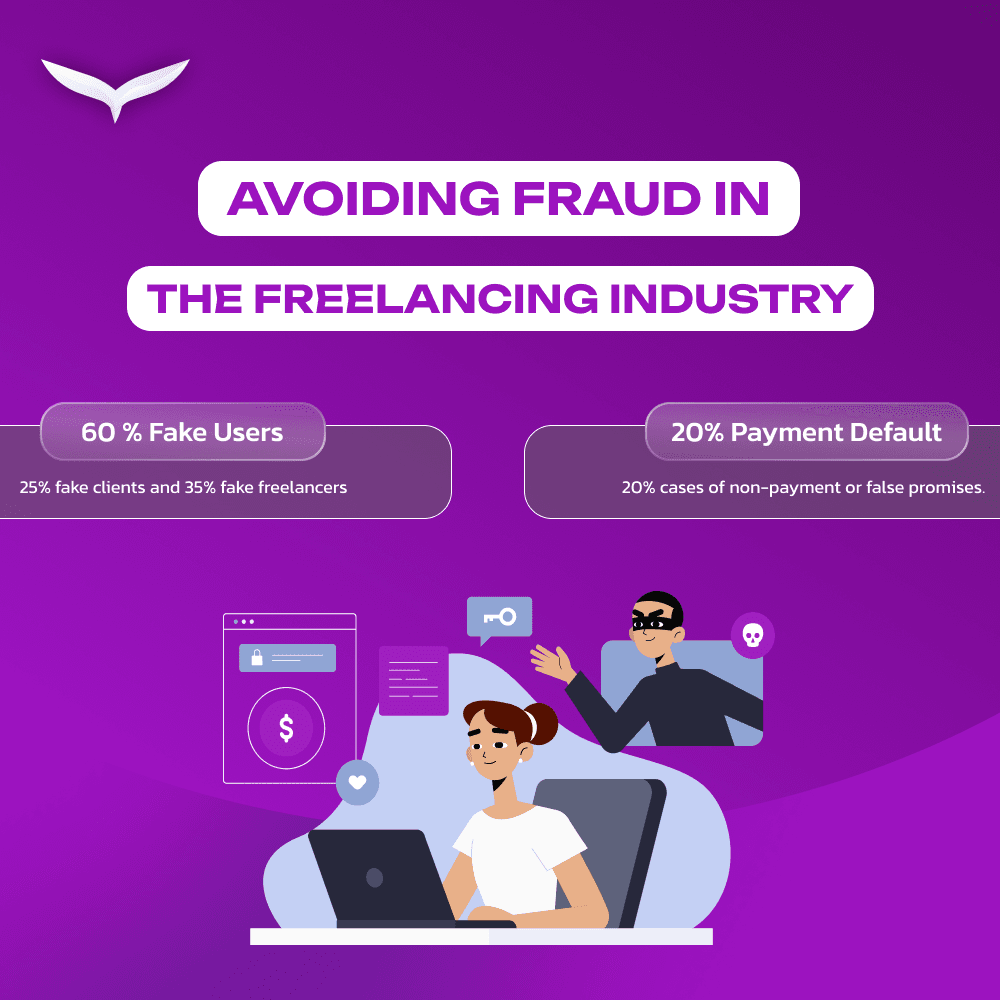
The rise of online freelancing has transformed the global workforce, enabling professionals to connect with clients and opportunities across borders. Yet, alongside this surge, fraud and unethical practices have proliferated, threatening the trust and livelihood of freelancers and clients alike. 📉 Common Types of Freelancing Frauds Fraud in the freelancing world takes various forms. According to industry observations, the most prevalent scams include: ✅ How to Avoid Freelancing Fraud Success in freelancing doesn’t just require skill — it also demands strategic caution. Follow these best practices to safeguard your time and income: 🔑 Familiarize yourself with essential freelancing safety terms: 🚀 Choose Qwego The freelancing industry continues to unlock tremendous global opportunities, but it’s essential to navigate it wisely. Choosing a trusted platform is your first line of defense against fraud. That’s why Qwego is reshaping the future of freelancing. At Qwego, we connect top-tier talent with verified clients, offering premium projects and a secure environment that ensures end-to-end delivery, transparency, and success. Our platform is built to protect the interests of both freelancers and businesses through secure payments, milestone tracking, and a commitment to quality. Stay informed. Stay protected. Thrive with confidence. Choose Qwego, and kick off your freelancing endeavours!!! 

Avoiding Fraud in the Freelancing Industry Read More »

When to restrict or report a user.

Understanding the Restrict and Report Features on Our Platform

Our platform provides users with two key options to manage interactions with others: Restricting and Reporting. These features empower users to maintain a professional and secure environment while ensuring they have control over who they work with. Below, we outline the differences, when to use them, and what happens after taking these actions. Restricting a User Restricting is a reversible action that prevents both parties from working together. A restricted user: When Should You Restrict Someone? Restricting is an ideal option when you want to avoid future interactions with a user but do not believe the issue warrants formal reporting. It is useful for situations such as: Reporting a User Reporting is a one-time, irreversible action that prevents both parties from viewing each other’s profiles permanently. A reported user: When Should You Report Someone? Reporting is recommended when a user has engaged in behavior that violates professional standards, platform policies, or ethical conduct. Recommended Reporting Reasons: Important Notes Final Thoughts Our goal is to provide a fair and professional environment where both clients and freelancers can thrive. By using the restrict and report features appropriately, users can maintain a positive experience while protecting themselves from unprofessional interactions. If you have any concerns about your safety or professional interactions on the platform, feel free to contact our support team support@qwego.com

Understanding the Restrict and Report Features on Our Platform Read More »

Powerful Ways to Deliver a Professional & Memorable Experience to Your Client

Powerful Ways to Deliver a Professional & Memorable Experience to Your Client

In freelancing, delivering a professional and memorable experience to your client is key to building long-term relationships and gaining repeat business. Your clients should feel confident in your abilities and get satisfied with the outcome. Here are some powerful ways to ensure you’re always at the top of your game. 1. Utilize Qwego’s Powerful Tools Leveraging Qwego’s tools like job progress updates, the time tracker, and kanban boards helps you stay organized and transparent. These tools provide your client with a real-time view of the project’s progress: By using these tools, you provide clients with a structured & organized experience, eliminating guess work and confusion. 2. Keep the Client Up to Date Frequent communication is crucial. Keep your client up to date and in sync throughout the entire project. This doesn’t just mean updating them when you hit a major milestone, but consistently providing smaller updates as well. When clients feel included in the process, they trust your work and appreciate your professionalism. A simple with progress details can work wonders in ensuring your client is comfortable with how things are moving forward. 3. Eliminate Ambiguities One of the biggest challenges in freelancing is the potential for misunderstandings or misaligned expectations. From the very beginning, make sure there are no ambiguities. Always clarify project details, deadlines, and deliverables. Before you begin any work, ensure you both have a shared understanding of the project scope, payment terms, and timelines. When in doubt, always communicate to confirm you and your client are always on the same page. This prevents confusion and helps maintain a smooth, productive workflow. 4. Adhere to your commitments Reliability is at the core of professional freelancing. If you’ve committed to a deadline, make sure you stick to it. Clients value punctuality, and completing work as promised is a huge trust-building factor. If you ever face any delay, communicate them early and offer solutions to stay on track. 5. Stick to the Original Scope Scope creep can disrupt a project and lead to dissatisfaction on both sides. To avoid this, always stick to the original scope of work that was agreed upon. If the client requests additional work, make sure it’s clearly defined, and negotiate any necessary adjustments in terms or payment. Clear boundaries prevent the project from becoming unmanageable and ensure you both remain focused on the intended deliverables. 6. Maintain Professionalism Finally, maintain professional behaviors throughout your interactions. This means: Being polite, respectful, and focused on delivering a great experience will leave a lasting impression on your client.

Powerful Ways to Deliver a Professional & Memorable Experience to Your Client Read More »

How to Work with Multiple Clients: Master the Art of Multitasking

How to Work with Multiple Clients: Master the Art of Multitasking

Once you’ve settled into freelancing, the next step is often taking on multiple projects to scale your business. However, juggling multiple clients can be overwhelming. Today, I’ll share essential tips to help you manage several projects without feeling tired. Should You Multitask? | How Much is Too Much? Before diving into multitasking, it’s crucial to assess your workload and understand your limits. 1. Learn to Say No It’s tempting to accept every project that comes your way, but you can only handle so much at a time. Take a moment to assess your current workload and decline projects if you’re already at capacity. It’s better to excel at a few than struggle with too many. 2. Understand Time Commitment Time required to complete a project depends on the nature of work. Before accepting new work, evaluate how long it will take you to complete it. This ensures you won’t overbook yourself. 3. Scale Gradually Start small—maybe with two projects—then gradually add more as you build confidence. However, stop when you feel you’ve reached your limit. Scaling slowly helps avoid burnout. 4. Prioritize Work-Life Balance Though multitasking can be effective, it’s vital to take care of your health and maintain balance. Overcommitting can lead to burnout, so set boundaries and take time to rest. Tips for Managing Multiple Projects Once you’re clear on how much you can handle, use these strategies to manage your workload: 1. Plan and Stick to Your Schedule Effective planning is key when managing several projects. Use a calendar to organize deadlines and milestones. Qwego’s Event Scheduler is a great tool for marking deadlines and sharing them with clients to keep everyone informed and on track. 2. Utilize a Kanban Board A kanban board is an excellent way to visualize your workflow. Qwego’s Kanban Board allows you to map tasks and track their progress, ensuring clear visibility of all your projects and helping you prioritize tasks effectively. 3. Communicate Clearly with Clients When managing multiple clients, communication is critical. Set clear expectations, give regular updates, and be transparent about delays. Keeping clients informed helps build trust and prevents misunderstandings. 4. Batch Similar Tasks Group similar tasks together to boost productivity. For example, block time for writing, then for design, rather than switching between them constantly. This minimizes mental strain and helps maintain focus. 5. Reflect and Adjust After each project, reflect on what worked and what didn’t. Continuous improvement will make managing future projects easier and more efficient.

How to Work with Multiple Clients: Master the Art of Multitasking Read More »

The Future of Work Is Freelancing – Here’s Why You Need to Start Today

The Future of Work Is Freelancing – Here’s Why You Need to Start Today

Freelancing is no longer just a side hustle; it’s quickly becoming the future of work. With more and more professionals moving away from traditional 9-to-5 roles, freelancing offers unique opportunities for career growth, flexibility, and control. Here’s why you should consider jumping into freelancing today: 1. Automation & Layoffs 2. Power of Networking 3. Design Your Own Work-Life Balance 4. Great for freshers: Early Validation for Your Skills 5. Diverse Income Opportunities 6. Overcoming the Challenges of Freelancing Why Wait? Start Your Freelance Journey Now Freelancing is more than just a trend—it’s the future of work. By starting today, you can gain control over your career, build meaningful connections, and enjoy the flexibility that freelancing offers. While the path comes with challenges, the rewards make it worth the journey. The future of work is here, and freelancing is your ticket to success—so why wait? Start now!

The Future of Work Is Freelancing – Here’s Why You Need to Start Today Read More »

Avoid costly mistakes. Best safety tips for every freelancers to practice.

Avoid Costly Mistakes: Safety Tips for Clients & Freelancers

In freelancing, we often interact with strangers and must take time to verify their credibility. Whether you’re a freelancer or a client, staying cautious and alert throughout every project is crucial. Being aware of potential red flags can protect you from scams or unexpected issues. Let’s explore key safety tips for a smooth freelancing experience. Stay on the Platform Whether you’re a freelancer or a client, never take the project offline. Freelance platforms like Qwego offer built-in security features that protect both parties. Taking a project offline exposes you to risks that can otherwise be avoided. For Freelancers: Beware of Suspicious Clients As a freelancer, watch out for clients who: Risks Freelancers Face When Taking Projects Offline: For Clients: Be Cautious of Freelancers Who Want to Go Offline If a freelancer wants to take the project off-platform, proceed carefully: Risks of Taking Projects Offline: Benefits of Staying on Qwego Platforms like Qwego offer security features that ensure a safe experience: Additional Safety Tips for Clients & Freelancers

Avoid Costly Mistakes: Safety Tips for Clients & Freelancers Read More »